
Everything you need to know to master Madgicx
The Madgicx Knowledge Base contains all the information you need to learn how to use all the tools and features of the Madgicx app to skyrocket your ad performance. Master each of the tools to maximize your ad ROI.


What would you like to learn about?

Start with Madgicx
5 min
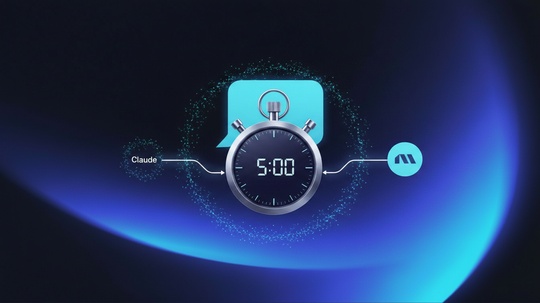
Connect Madgicx MCP to Claude and audit your ad account in 5 minutes — what's misconfigured, what's costing you, what to fix first.
Integrations & permissions
4 min
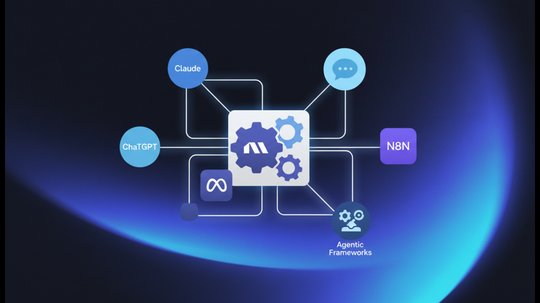
Connect any MCP-compatible AI assistant — Claude, ChatGPT, and more — directly to your Madgicx account, and manage your Meta Ads through plain-English conversations.

Start with Madgicx
5 min
Madgicx is an AI Ads Manager built to simplify and scale Meta advertising. From AI-powered optimization recommendations and Madgicx MCP — which lets marketers diagnose campaign issues and take action directly from Claude — to AI ad generation and multi-channel analytics, the platform helps teams manage and grow campaigns from one place.

Optimization
3 min
Madgicx’s AI Marketer is your personal media buyer who:
- Continuously audits your account to see what it can optimize
- Tells you exactly what to do next to increase performance
- Reduces your time spent on tedious manual tasks
- Prepares everything you need to act on those recommendations: just click "Launch"

Creatives
10 min
Simplify your creative process from start to finish using our AI Ads Workflow so you can:
- Reduce time and costs spent on creative production by leveraging AI
- Produce quality creatives for your ads with our AI Ad Generator
- Search for new ad inspiration in the Madgicx Ad Library
- Edit your ads within Madgicx using the AI Image Editor

Analytics
8 min
Create performance dashboards with:
- Multi-channel reporting
- Modifiable templates
- Real-time data
With One-Click Report, you can:
- Use the tool as your primary dashboard to get a clear view of your day-to-day performance across different advertising channels
- Create professional-looking and meaningful reports as a small or medium-sized business without spending huge money on data analysts
- Take advantage of templates to gain insight into what metrics the industry leaders look at and how they organize their reports
- Save yourself hours of data compilation work so that you can make better marketing decisions faster
- Quickly share the data with your team or clients

Advanced tools
12 min
With Madgicx automations, you can set your ad account to autopilot and:
- Minimize how much time you spend tweaking your account
- Protect your budgets with stop-loss automation
- Automatically scale winning ads when they are doing well

Billing
7 min
In this article, we explain:
- What’s included in the Pro Complete plan
- Our add-ons and their fees
- How to upgrade from a trial to full access

Advanced tools
11 min
Three main areas should be analyzed when performing A/B testing:
🎨 your creatives
📜 your ad copy
🥸 your target audiences
But, how do you find the data that determines winning performance in a sea of analytics? Keep reading.


Integrations & permissions
3 min
Five purpose-built skills that turn Claude into an ads operator on top of the Madgicx MCP. Each one is a focused workflow — drop it in, paste the prompt, get a usable answer.

Integrations & permissions
8 min
You need 4 kinds of permissions on Facebook to get your Madgicx account up and running:
- Ad account: You need permission to manage the ad account to launch ads via Madgicx.
- Facebook page: You need permission to manage the page to get analytics and launch posts via Madgicx.
- Facebook pixel or dataset: Your pixel needs to be connected to your Facebook ad account, and you need permission to manage it.
- Facebook catalogs: You need permission to manage the catalog, and the catalog needs to be connected to the Facebook pixel.
Integrations & permissions
4 min
Before you can connect your Instagram account to Madgicx, you must first:
- Connect your Instagram account to your ad account
- Ensure your Instagram account is in your Meta business portfolio
- Gain admin access to the Instagram account
- Connect your Instagram account to your ad account
Read on to find out how.

Integrations & permissions
6 min
To view data and launch Google Ads via Madgicx, you need “Standard” or “Admin” permissions to access the Google account.

Integrations & permissions
4 min
Discover the correct permissions to view Google Analytics 4 (GA4) data in Madgicx. See how to add GA4 to the Business Dashboard and the One-Click Report add-on.
Integrations & permissions
4 min
Find out which permissions you need to see your Shopify data in the Madgicx Analytics tools: the Business Dashboard and One-Click Report.
In this article, you’ll learn:
- The full list of permissions required to connect Shopify to Madgicx successfully
- How to connect Shopify to the Madgicx Business Dashboard for a consolidated view of your marketing data
- How to connect Shopify to One-Click Report to see cross-channel analytics

Advanced tools
2 min
Madgicx offers two levels of white labeling:
- Automated reports
- All assets created with Madgicx (campaigns, ad sets, ads, and audiences)

Start with Madgicx
6 min
What is the marketing funnel? Why is it important?
You may know about the ARR marketing funnel if you’re a media buyer. But, if you’re not familiar with this term, you may not be aware of this framework and why we use it. This article is for you.

Advanced tools
2 min
Audience exclusion is to prevent Facebook from going after your warmer audiences (because they have a better chance to drive results) when you want to target top-of-the-funnel and middle-of-the-funnel audiences.

Optimization
9 min
With Madgicx’s Ads Manager 2.0, you can:
- Monitor and manage all of your advertising assets in one place
- Filter assets by performance to instantly identify scalable and overspending ones
- Make changes to multiple assets at once

Optimization
2 min
The information below will tell you everything you need to know about setting up Madgicx Cloud Tracking, including how to give us access to your Pixel/dataset, explain what your DNS is, and provide us with permissions. If there is still something unclear after reviewing this document, please feel free to contact us at [email protected].

Analytics
6 min
With Madgicx’s Meta Dashboard, you can:
- Ensure you cover your entire marketing funnel from acquisition to retention
- Strategize your budget allocation across the funnel based on performance
- Automate performance reporting and have them sent right to your inbox
Analytics
16 min
Targeting Insights helps you identify any audience blindspots so you can:
🔍 Spot optimization opportunities to improve targeting
🌍 Find missing audiences and identify high-performing ones for your next campaigns
✂️ Trim budget waste spent on poor-performing audiences

Analytics
8 min
With these insights, you can:
- Learn how budget optimization, objectives, optimization goals, and bidding affect performance
- Understand whether the learning phase and ad quality have an impact on your account
- Discover the best time and day to launch your ads

Analytics
5 min
Optimize your budget and targeting with a data view unavailable in Facebook for:
- Countries and regions
- Ages and genders
- Languages
With these insights, you can:
- Spot underperforming audience segments and exclude them from your targeting
- Identify overperforming audience segments you can scale with additional ad sets
- Tweak your ad strategy across countries, regions, ages, languages, and gender

Analytics
7 min
Target best-performing audiences
- Get audience-performance data unification to identify over/under-performing audiences
- Discover new interests you should target in future campaigns
- Build new prospecting audiences by intersecting interests and lookalikes
With Audience Studio you can
- Create powerful interest-targeting audiences
- Mix lookalikes with different interests to narrow down to a fine-tuned niche
- Launch audience combinations instantly, or save and launch them at any time through Audience Launcher

Analytics
10 min
Understand which are the most important metrics to watch in your marketing analytics so you can:
- Customize your report dashboard to show you what you need
- Optimize your ad account for these metrics
- See the true cost of acquiring new customers
- Monitor your profitability
Creatives
9 min
Create better ads with Madgicx’s Creative Insights:
- Test all ad formats and understand which ones work best
- Identify scalable and overspending creatives in your account
- Follow performance trends to avoid ad fatigue
- Understand which elements in your creatives drive the best performance

Creatives
12 mins
Finally, a tool that aggregates your copy’s performance across ad sets and campaigns so you can:
- Identify scalable pieces of copy to maximize your profits
- Spot copy that’s burning through your budget to stop the leak
- Understand which copy elements work best and for which audience segment to perfect your next ads

Advanced tools
16 min
Use Madgicx Audience Launcher to:
- Launch pre-set audiences in a few clicks instead of wasting hours compiling them
- Leverage AI technology to create highly converting prospecting audiences
- Ensure you cover your entire sales funnel and test all the audiences you should

Advanced tools
12 min
With Madgicx Ad Launcher, you can:
- Create a new ad either from scratch or combine existing copy and creatives
- Scale existing ads horizontally by launching them into additional ad sets
- Turn your top social media posts into profitable ads
- A/B test creatives quickly and simply

Advanced tools
5 min
When you have your automations set up, you can monitor them in Automation Overview to:
- Ensure you don't miss out on crucial automation types
- Assess automation performance and activity
- Optimize your automation tactics
- Collaborate with your team

Advanced tools
17 min
With Madgicx automation tactics, you can set your ad account to autopilot and:
- Launch pre-set automation tactics in a few clicks to optimize your budget
- Use a well-honed framework created by pro media buyers
- Get recommended values for performance triggers based on your account’s data
Advanced tools
7 min
With Madgicx automation strategies, you can easily automate more complex workflows to:
- Spend much less time in front of Meta Ads Manager
- Protect your budgets across your entire funnel
- Maximize your profits automatically
Advanced tools
10 min
With Custom Automation, you can set your ad account to autopilot and:
- Create complex automation strategies tailored to your needs
- Automate ad sets and campaigns across your entire marketing funnel
- Delegate any routine action you take in your account to Madgicx

Troubleshooting
1 min
You can change your Madgicx account information from the User Profile section of the Settings page.

Troubleshooting
2 min
Learn which ad types you:
- Can create and launch in Madgicx
- Can analyze in Madgicx
- Must launch in Meta

Troubleshooting
5 min
This step-by-step guide teaches you how to add and remove Facebook (Meta) and Google ad accounts to and from Madgicx.
Troubleshooting
3 min
After making any major changes to your ad account, you will need to re-establish your connection with Madgicx.
It’s best to start with the simplest solution first, which is refreshing.

Troubleshooting
1 min
You may need to know your campaign, ad set, or ad ID when searching for specific assets you have created or upon request from our support team to resolve an issue.
You can find your: Campaign, ad set, and ad ID number by customizing your columns in Facebook Ads Manager.
Start with Madgicx
1 min
There are three different ad account types in the Madgicx app:
- E-commerce
- Lead Generation
- Mobile App
Start with Madgicx
5 min
In this article, we explain how to navigate your workspace settings, where you can:
- Manage your connected ad accounts
- Change your subscription and add more products
- See your billing history and edit your payment method
- Customize your user profile
- Add team members
Billing
1 min
Your invoices can be found in the “Payments” tab on the Settings page. You can also view and edit your billing information here.

Billing
2 min
If you exceed the ad spend limit of your plan as a monthly user, Madgicx’s system will automatically upgrade your plan to the next tier. Quarterly and annual users will be upgraded for that month when exceeding the plan limit.
Billing
1 min
If you need to downgrade your account, get in contact with one of our support representatives.

Billing
1 min
We're sorry to hear that you want to stop using Madgicx 😥
If you’re not seeing the results you are looking for, our support Madgicxians are ready to help you set your account up for advertising success.
Click the chat button on the bottom right of your screen to get help.
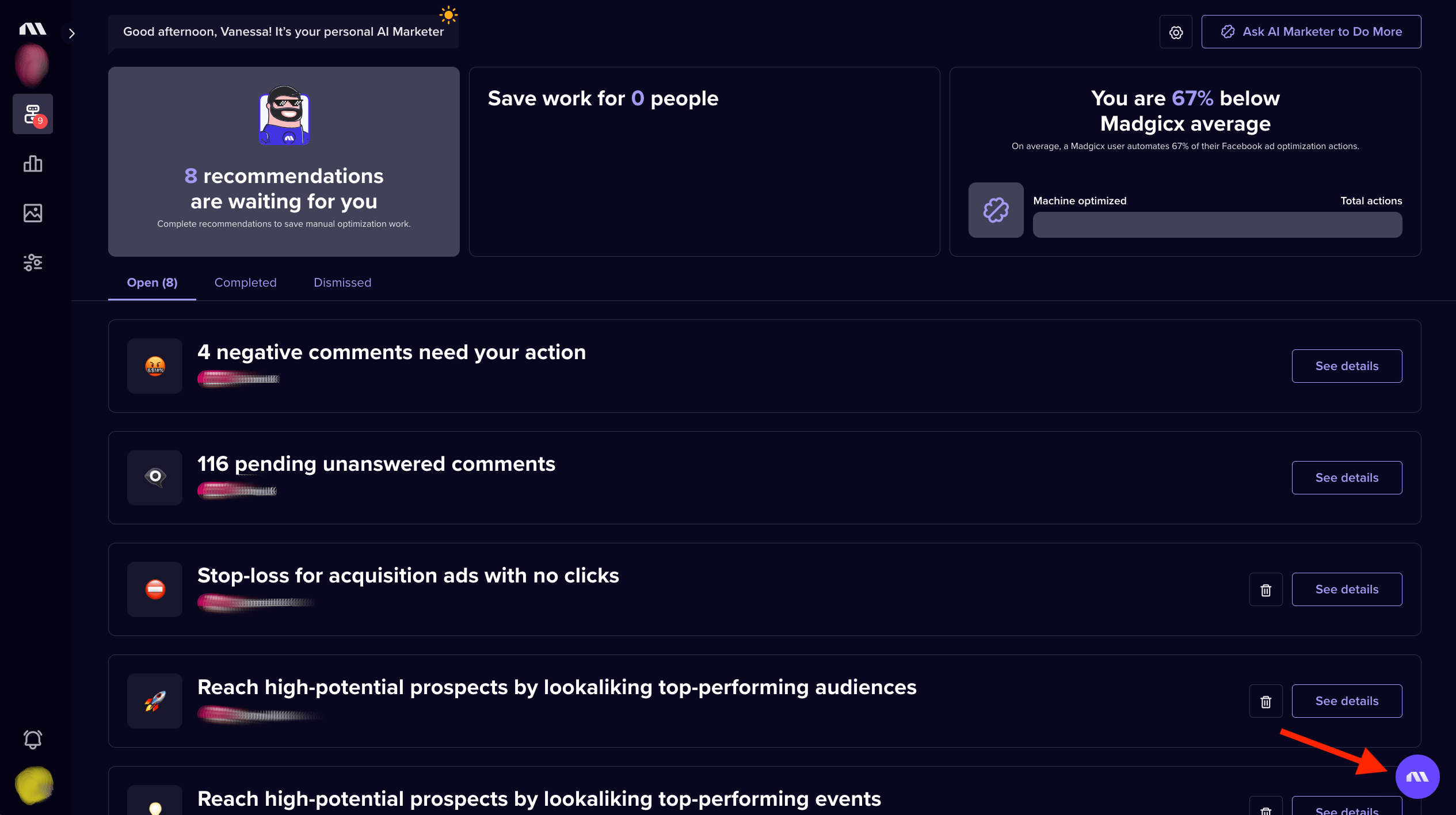
However, if you still want to cancel regardless, you can follow the steps below 👇
7 min
Madgicx is rated 4.6/5 on G2 with hundreds of verified reviews. Here's what real performance marketers say about using Madgicx for their Meta advertising.






No lessons found
Didn't find what you were looking for?
Try our FAQ
Check out the answers to our most frequently asked questions. If you can’t find the answer there, you’ll be able to contact our support team.